My setup
Lilac Moon
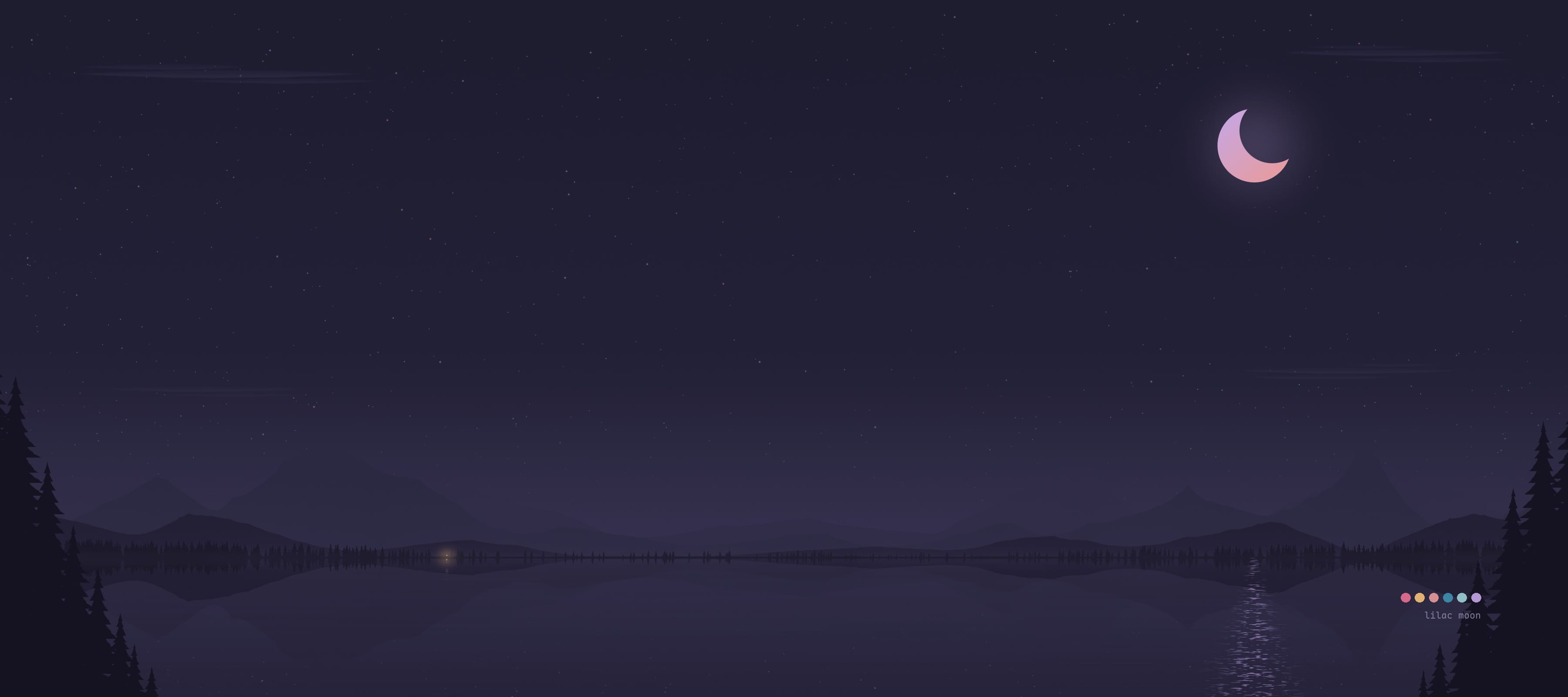
One theme across everything I touch: Rosé Pine Moon, made my own. A deep purple-gray ground, soft lilac-gray text, lavender for what's mine, rose for warmth, and a crescent moon that shows up on the screen, the desk and the wall.


The palette
Rosé Pine Moon, with my own ground and text. Lavender marks selection and accents; rose and gold are used sparingly.
#1f1d30base#2a273f#393552#cfcce0#c4a7e7iris#ea9a97#f6c177#9ccfd8#3e8fb0#eb6f92#4a3f66On screen

WezTerm and herdr in Moon: translucent glass over the wallpaper, Maple Mono at 14.5, a quiet gray cursor and a lilac selection. VS Code wears Rosé Pine Moon too.


The sound
Two soft chimes, made for this setup. One sound means "something needs me" everywhere: an agent with a question, and every macOS alert.
Copy this setup
Everything on the desk and the walls, then every app and file, then how to install it all.
Hardware
What each thing does, with a link to it where there is one. The oak desk and the bed came with the dorm. How the room's lights work: the sensor, the bridge's rules and my Mac.

On the desk
- Mac Studio, Apple M5 Max, 128 GB
My main computer, and it stays on.
- Samsung S34CG50, 34 in
A 34-inch ultrawide at 165 Hz over DisplayPort 1.4: two windows side by side with no seam, and room for the wallpaper's whole lake.
- Keychron Q1 Ultra 8K, Black, Silk POM Red
Black aluminum, double gasket, smooth linears: a soft, deep thock. Wireless to three devices.
- GMK CYL Purple on Black
Black keycaps with purple legends: the terminal, in keys. Made in Germany.
- Capsmiths Lavender Rose
A lavender resin rose on Esc: the one lilac key.
- Keychron Premium Coiled Cable, Angled Purple
Purple and magenta braid with a metal aviator connector: the Q1 runs wired on it.
- Custom Touch ID key
Apple's Touch ID sensor, out of a black Magic Keyboard and into one keycap on the Q1. Every part is here, and the build has its own page.
- Logitech MX Master 3S, Graphite
Mine is the MX Master 3; the 3S replaced it, with quiet clicks. It sits on the oak, just past the mat.
- Lilac Moon desk mat, 90 × 40 cm
Stitched edges, printed from the print file below. The keyboard sits in the middle of it, the moon off to its right.
- Twelve South BookArc
Holds my MacBook Pro upright on the desk, so it takes almost no room.
Light and walls
- BenQ ScreenBar Halo 2
Warm light on the desk, about 2700 K, and a rear backlight washing the wall above the monitor, which is what lights the Miata. It dims with the room at night.
- Two Philips Hue Play light bars
Both stand behind the monitor and glow up the wall around it, purple and blue by default. They came with the Hue Bridge, which runs every Hue light here over a Cat6 cable.
- Ceiling fan
The dorm's own fan: four wood-grain blades and a light kit with a white glass bowl, which holds the two Hue bulbs below.
- Philips Hue White and Color Ambiance A19 (LCA013), two of them
In the ceiling fan's light kit, on GU24 adapters, so the ceiling joins the Hue scenes: one bulb on the desk side and one on the far side, each its own color or white.
- Hue Motion Sensor
Turns the lights on when I walk in after dark and lights a dim path at night. It reads light and temperature too, and its readings stay on my Mac.
- Metroboard Boston
A live map of the T in walnut and brushed aluminum: every lit dot is a train right now.
- Moon triptych, three 8 in tiles
Three of the wallpaper's frames (Dawn, Sunset and Night, in the strip above), framed over the bed.
- PetrolVibes Miata MX-5 NA silhouette, 39 in
Black steel line art of an NA Miata with its roll bar, centered over the monitor where the Halo's backlight catches it.


Software
Everything here is declared in my dotfiles, which are public, except ColorSlurp. Items marked "mine" are things I made for this setup.
The look
- Rosé Pine Moon
The theme Lilac Moon starts from: I only changed the ground, the text and the selection.
- Maple Mono
Round and soft at 14.5 pt, with Nerd Font icons. Everything renders in it.
- The wallpapermine
Twelve frames of a pine lake that follow the real sun, packed into one dynamic wallpaper.
Terminal and agents
- WezTerm
Translucent with a blur, so the wallpaper glows through; configured in Lua.
- herdr
Runs many coding agents side by side, one quiet line each in its sidebar.
- Claude Code
Writes most of my code while I steer.
- Claude
The desktop app.
- Codex
OpenAI's coding agent, for a second opinion.
- Guard hookmine
A session checks with me before anything that can't be undone: sending mail, deleting files, a force push.
- Figma MCP
Any session can read and edit Figma files.
- starship
A fast prompt in the Moon colors: folder, branch, changes.
- zsh-autosuggestions
Gray suggestions from history; Ctrl-F takes them.
Editors
- VS Code
Where agents' file links open, at the right line. I mostly read in it.
- Rosé Pine for VS Code
The Moon variant, so the editor matches the terminal.
- MarkEdit
A plain Markdown editor.
Building apps
- Xcodes
Installs and switches Xcode versions.
- Android Studio
The Android builds of my apps.
- SF Symbols
Apple's symbol browser, for app icons and UI.
- Proxyman
Watches an app's network traffic while I debug it.
- Google Cloud CLI
gcloud, for the projects that run on Google Cloud and Firebase.
Commands
- airdropmine
AirDrop stays off because its Wi-Fi link lags video calls; this turns it on for ten minutes.
The Mac
- Noah's Macmine
My menu bar app: the portal's status, AirDrop for a while, and the wallpaper following the sun or held at one time.
- nix-darwin
macOS settings, apps and Homebrew declared in one file, applied by one command.
- home-manager
The shell, git and my packages, from the same flake.
- Determinate Nix
The Nix installer the bootstrap uses.
- AltTab
No tiling window manager: the Dock and menu bar hide, and ⌘Tab shows every window.
- Hammerspoon
A ⌘⇧ key per app; press it again to step through that app's windows.
- Maccy
Clipboard history on ⌃⌘V.
- Keychron Assistant
Sets the Q1's keys and updates its firmware.
- Google Chrome
The browser, with AltTab making each window one key away.
- ColorSlurp
A color picker for matching things to the palette. From the App Store, so not in the dotfiles.
Install it
The dotfiles turn a new Mac into this one. Read the README first: it's opinionated, and it removes Homebrew apps it doesn't list.
- On an Apple Silicon Mac, as yourself (not with sudo), run the bootstrap.
/bin/bash -c "$(curl -fsSL https://raw.githubusercontent.com/SwiftlyNoah/dotfiles/main/bootstrap.sh)"It installs Apple's Command Line Tools and Nix, clones the repo and builds the whole Mac: settings, apps, shell, terminal, fonts, wallpaper and chimes.
- Make it yours.
Your own settings go in
local/config.json(start fromlocal.example.json), then rerunhome/bin/claude-setup. My own sign-ins and private notes aren't included.Change anything in
home/and it applies on save; change a.nixfile and run./rebuild.sh. The git name and email inhome.nixand the rules for agents inhome/AGENTS.mdare mine: change them first. - Only the look
Take palette.json, Maple Mono and the wallpaper, and install Rosé Pine Moon in your terminal and editor.